AI Accountability for Productivity: How to Stay on Track With an AI Coach
AI accountability for productivity is a simple routine. Before you work, you tell a coach exactly what you'll finish. Halfway through, it checks in. When you stop, it asks what happened. This guide shows you how to run that routine, why it works, and where it stops being enough.
You don't lack plans. You have a to-do list, three apps and a calendar full of good intentions. What you're missing is someone who asks "did you do it?" at the moment it matters.
A reminder tells you it's time. Accountability asks what you did with the time.
What is AI accountability?
AI accountability is a coaching routine where an AI asks you to commit to one specific goal, checks your progress during the work, and reviews the result with you afterward. It isn't a reminder, and it isn't a general chatbot. It's a short, structured conversation tied to a timed work session.
Accountability used to need another person: a study partner, a coworker, a coach. That still works, and if you have it, keep it. Working next to someone is the idea behind body doubling. But people aren't awake at 2 AM after your shift, and you don't always want to explain your unfinished essay to a friend. An AI coach fills that gap. It shows up for every session, and it doesn't judge.
How AI accountability differs from reminders and chatbots
| Reminder app | General AI chatbot | AI accountability coach | |
|---|---|---|---|
| What it does | Pings you at a set time | Answers what you ask | Asks for a goal, checks in, reviews |
| Who starts the conversation | The clock | You | The session |
| Knows your goal | No | Only if you tell it each time | Yes, you set it at the start |
| Follows up | No | No | Halfway and at the end |
| Spots patterns over weeks | No | Not by design | Yes, in apps built for it |
A reminder fires and you swipe it away. A chatbot waits for you to open it. A coach is part of the session itself, so the check-in happens whether you remember it or not. The full comparison is in productivity reminders vs. accountability check-ins.
How AI accountability for productivity works: before, during, after
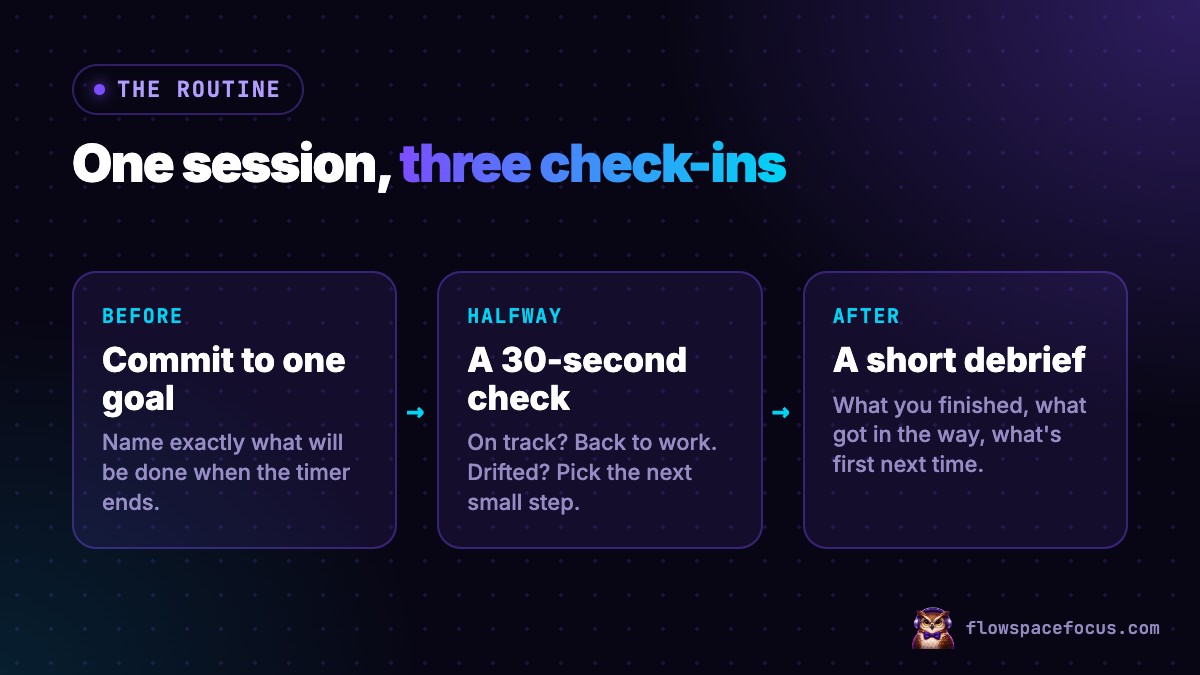
Every session has three short conversations. None of them takes more than two minutes.
- Before: commit to one goal. You name one specific thing you'll finish before the timer ends. Not "work on the report." Something like "write the summary section, about 200 words."
- Halfway: a 30-second check. On track? Back to work. Drifted? Name what pulled you away and pick the next small step.
- After: a short debrief. What did you finish? What got in the way? What's the first step next time?
Here's why each stage earns its place:
- Specific goals beat "do your best." Across 35 years of studies, Edwin Locke and Gary Latham found that specific, challenging goals lead to better performance than vague ones.
- Planning when and how makes action more likely. Psychologist Peter Gollwitzer showed that simple if-then plans ("when the timer starts, I'll open the draft") help people act on goals. A later meta-analysis of 94 independent tests found a medium-to-large effect on reaching goals.
- Checking progress helps you reach the goal. A 2016 meta-analysis in Psychological Bulletin found that monitoring your progress makes you more likely to reach a goal, and the effect was bigger when progress was written down or reported to someone.
An AI coach doesn't add a new method. It makes you use these three proven ones every session, instead of only on the days you remember.
How to choose one concrete focus goal
A focus goal has three parts: a verb, an exact thing, and a finish line.
- "Write" + "the intro" + "about 150 words"
- "Solve" + "problems 1 to 10" + "and check the answers"
- "Send" + "the 3 overdue invoices" + "and log them"
Three rules make it work:
- It fits the session. In 25 minutes, finish one small piece. Save the whole chapter for a 90-minute block.
- You can see when it's done. If you can't tell whether it's finished, it isn't a goal yet.
- It's one thing. Two goals turn into a to-do list, and a to-do list turns into switching.
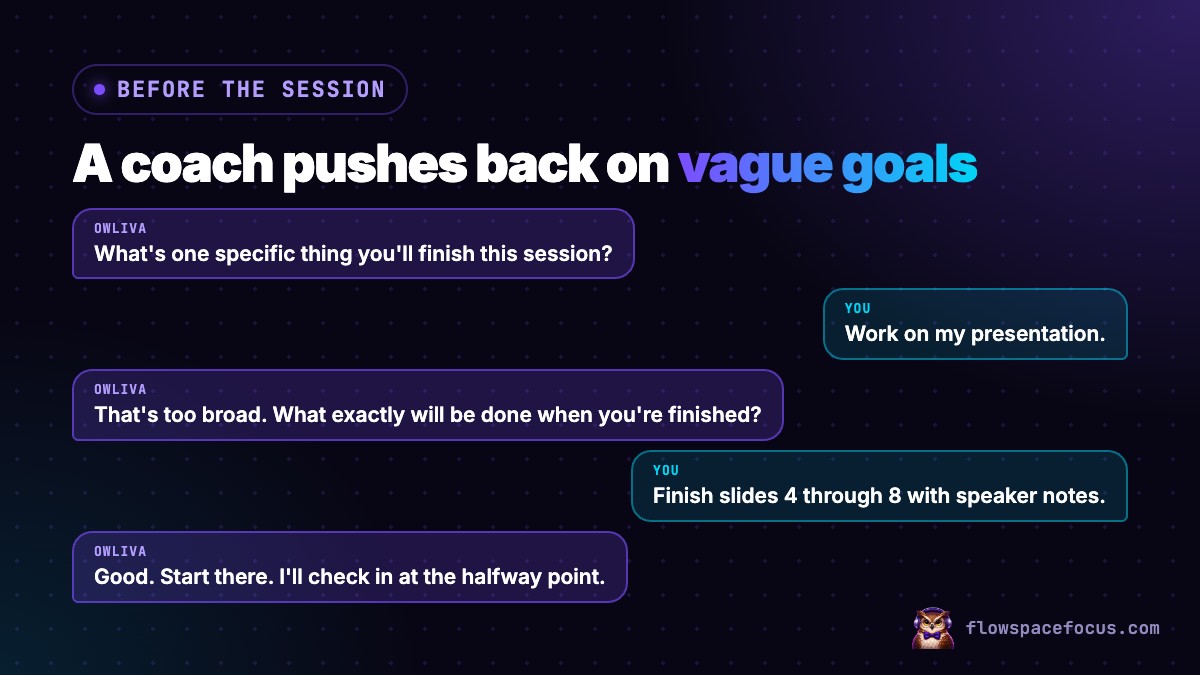
This is the step where a coach helps most. Here's how Owliva handles a vague answer:
For a full set of ready-to-use goals for study, writing, work and admin, see 12 focus session goal examples.
How to use a halfway check-in without breaking focus
A check-in at the wrong moment is just another interruption. Researchers at UC Irvine found that people make up for interruptions by working faster, but with more stress and frustration. So the halfway check has two rules: it's planned, and it's short.
- Keep it under 30 seconds. One question: are you still on the goal?
- If you're on track, go straight back. No chat, no new tabs.
- If you drifted, skip the guilt. Name what pulled you away, pick the next small step, and restart.
Keep the check-in about the same task. Switching to anything else, even "just a quick email," leaves part of your attention behind. Management researcher Sophie Leroy calls this attention residue. A check-in that sends you straight back to your goal avoids it. To cut the other interruptions too, set up a notification-free workday.
How to review a finished or unfinished session
The debrief is where the learning happens, and it only takes three questions:
- What did you finish? Be exact. "Slides 4 to 7, not 8."
- What got in the way? A text, a missing file, a goal that was too big, being tired.
- What's the first step next time? Write it down now, while you remember.
An unfinished goal isn't a failure. It's information. If you miss the goal three sessions in a row, your goals are too big, or that time of day doesn't suit the work. For a longer version of this review, read the 10-minute post-session review.
A sample 7-day AI accountability routine
Run this for one week before you decide whether it works for you.
| Day | What to do | What to notice |
|---|---|---|
| 1 | One 25-minute session with one goal | Did you finish it? |
| 2 | Same length, same time of day | What got in the way? |
| 3 | Two sessions with a break between | Was the second one harder? |
| 4 | One 45-minute session | Do longer sessions suit you? |
| 5 | Two sessions at a different time of day | When did you focus best? |
| 6 | Put your hardest task in your best time slot | Did it feel easier? |
| 7 | Review the week | Goals finished, common blockers, plan for next week |
By day 7 you'll have real data instead of guesses. Your best hour isn't always the one you'd guess. Use it to build your week around when you actually focus best. For a more detailed experiment, see how to test an AI productivity coach for 7 days.
Privacy, limits, and when you need more than an app
Privacy. Before you use any AI coach, find out three things: what it stores, who can see it, and whether it sells your data. FlowSpaceFocus doesn't sell your data, and your session history is visible only to you. Whatever app you use, keep confidential details out of it. Patient information, client secrets and passwords never belong in a goal. "Finish the shift handoff notes" is enough.
Limits. An AI coach helps you start, stay on track and learn from each session. It's a productivity tool, not therapy or medical care. If focus problems, low mood or ADHD symptoms are getting in the way of your work or school, talk to a doctor or a licensed professional. If you're in crisis in the US, call or text 988.
5 questions to answer before your next session
Answer these in writing. Not in your head.
Question 5 is the one that matters. Put a time on it. Then keep it.
Quick answers
Does AI accountability actually work?
It's built on methods with decades of research behind them: specific goals, if-then plans and tracking your progress. The AI's job is to make you use those methods every session, not just on good days. Run it for a week and judge it by how many session goals you finished.
Is an AI coach better than a human accountability partner?
They do different jobs. A person brings real stakes and real care. An AI coach is there for every session, at any hour, and you never have to explain yourself. Many people use both: a weekly check-in with a friend, and an AI coach for each work block.
How long should a focus session be?
Start with 25 minutes. Once you finish your goal in most sessions, move up to 45 or 50. FlowSpaceFocus runs everything from a 25-minute Classic Pomodoro to a 7-Hour Workday, and the coach checks in the same way at every length.
Is it safe to tell an AI coach about my work?
Check what the app stores, who can see it, and whether it sells data. Keep anything confidential out of every AI tool, such as patient details, client secrets or passwords. Your goal only needs to say what you'll finish, not the private details.
Want a coach that checks in before, during and after?
Try a guided session with Owliva →